
On November 24, 2026, 9to5Mac reported that Cultured Code’s Things 3.25 builds on the task manager’s basic touch support for Apple’s touchscreen MacBook Pro. Users can schedule a to-do with a swipe or select several tasks with two fingers and move them together.
Swipe right on a to-do to open the date picker. When opened by touch, the picker shows taller rows that make dates easier to tap. Custom menus also use taller rows when opened by touch.
Swipe left to select a to-do, then swipe left again to deselect it. To select several tasks, swipe up or down with two fingers. Touch and hold any selected task to drag the whole group, including selected tasks that are offscreen. Individual to-dos and headings can also be dragged.
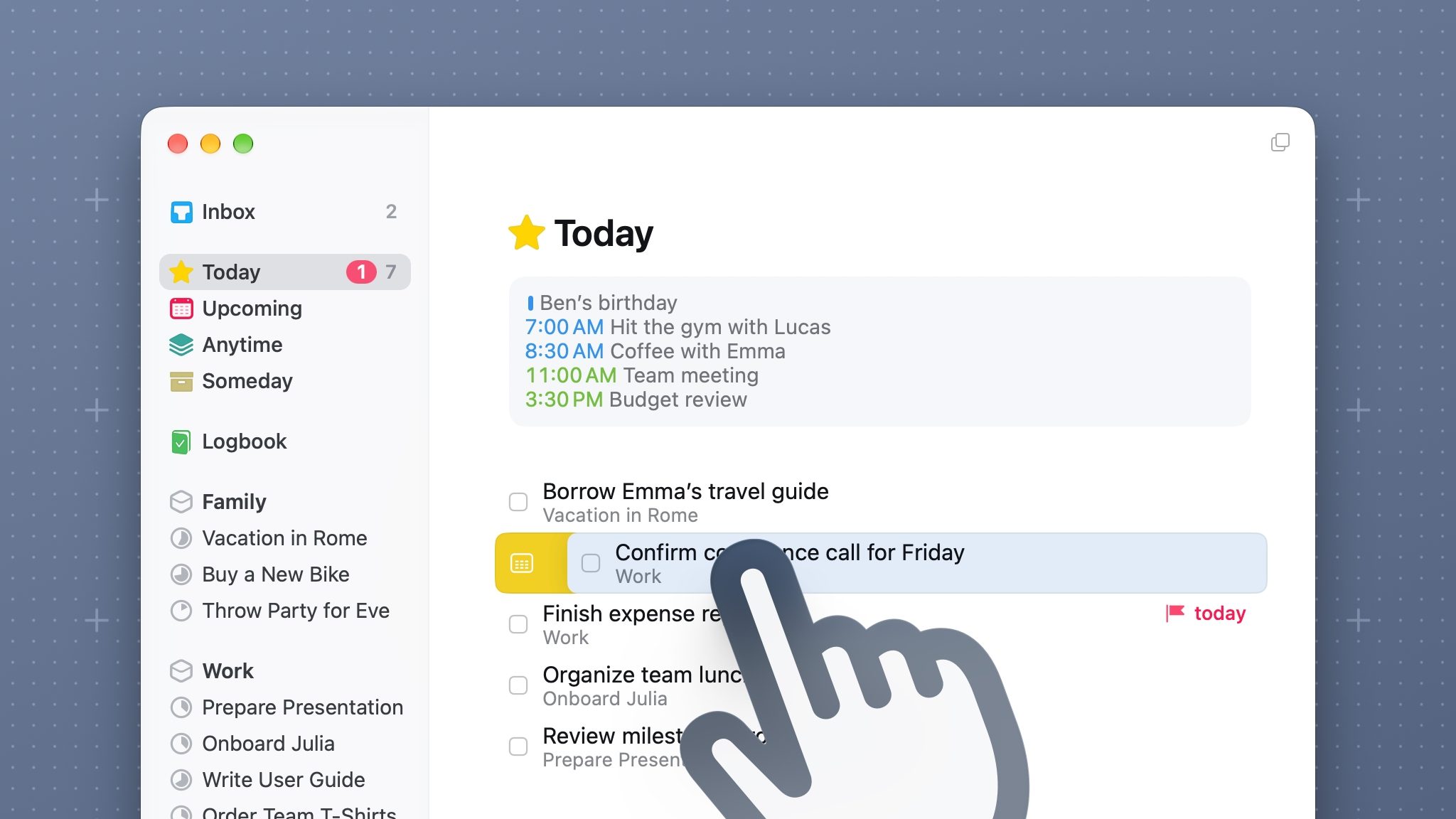
A single tap selects a to-do; a second tap expands it. Double-tapping also expands it. Within a to-do, checklist items are easier to reorder by touch. Pressing and holding a checkbox cancels the corresponding to-do or checklist item. Cultured Code also made the sidebar easier to resize with a finger and enlarged the tap targets for buttons throughout the Mac app.
Things 3.24 added Siri AI and Spotlight integration, while version 3.23 introduced more flexible scheduling for repeating to-dos. Things for Mac is available on the Mac App Store.