As reported on November 4, 2026 (UTC+8), iOS 27.2, iPadOS 27.2 and macOS 27.2 Golden Gate let you edit captions and photo comments in upgraded iCloud Shared Albums. Previously, changing a comment meant deleting it and posting a new one.
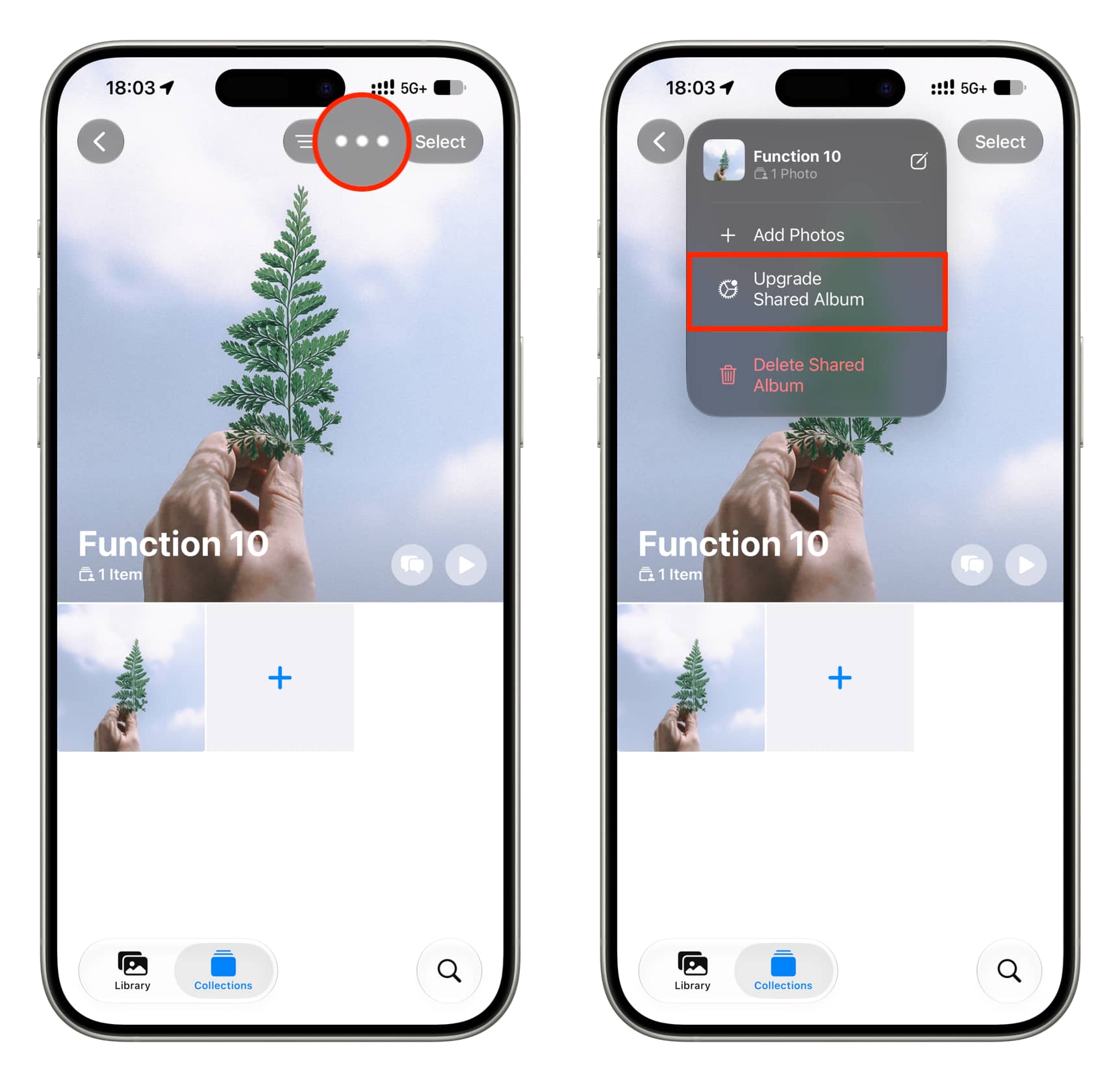
These editing options apply only to upgraded Shared Albums. Upgraded albums count against your iCloud storage, support emoji reactions and require iCloud Photos to be set up on the device where you create the album. To upgrade an older album, open its three-dot menu and choose Upgrade Shared Album.
Edit a caption
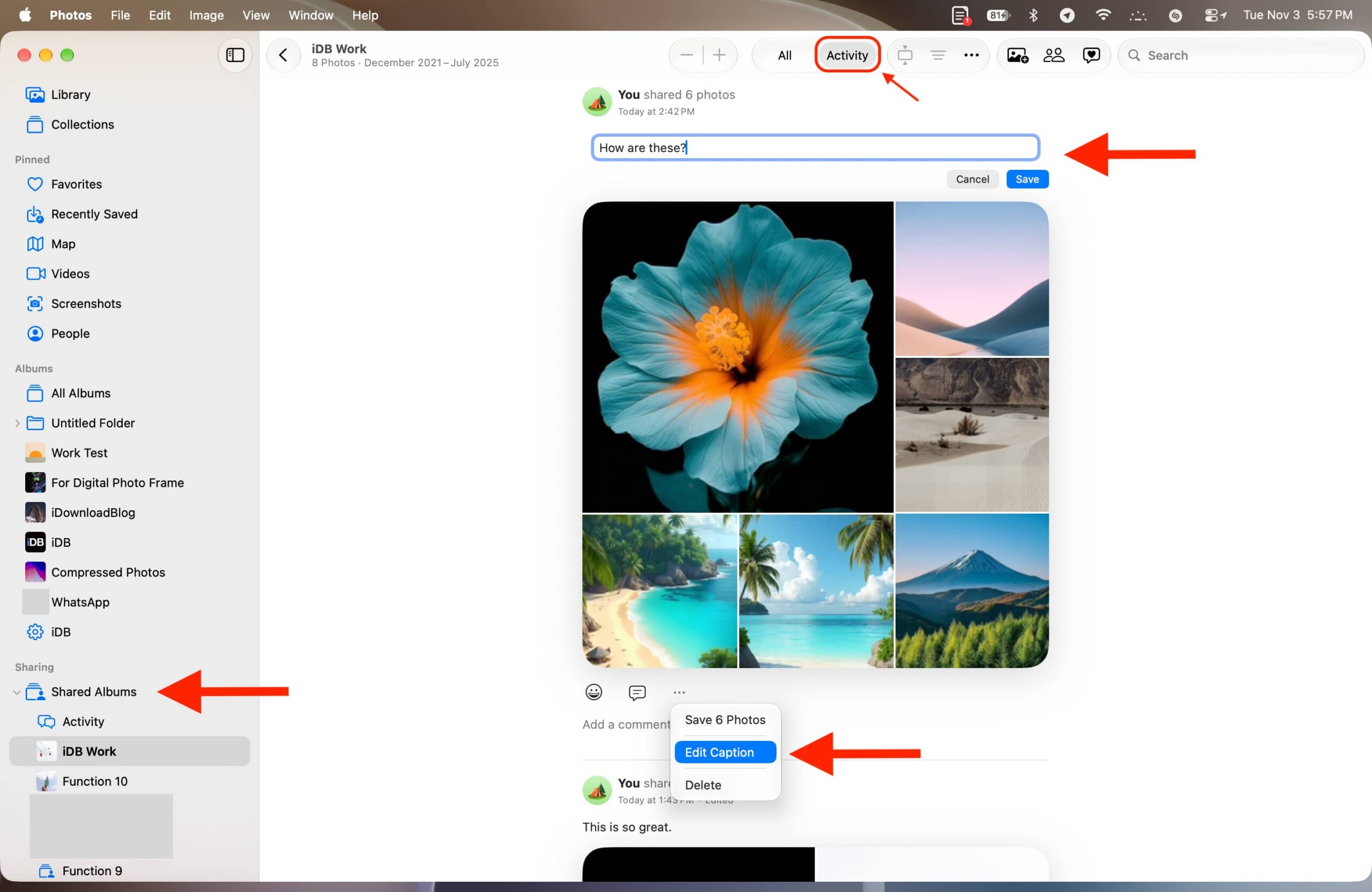
A caption belongs to an activity entry for a batch of photos or videos added to the album. If you added items in separate batches, look for the relevant “You shared N photos” entry.
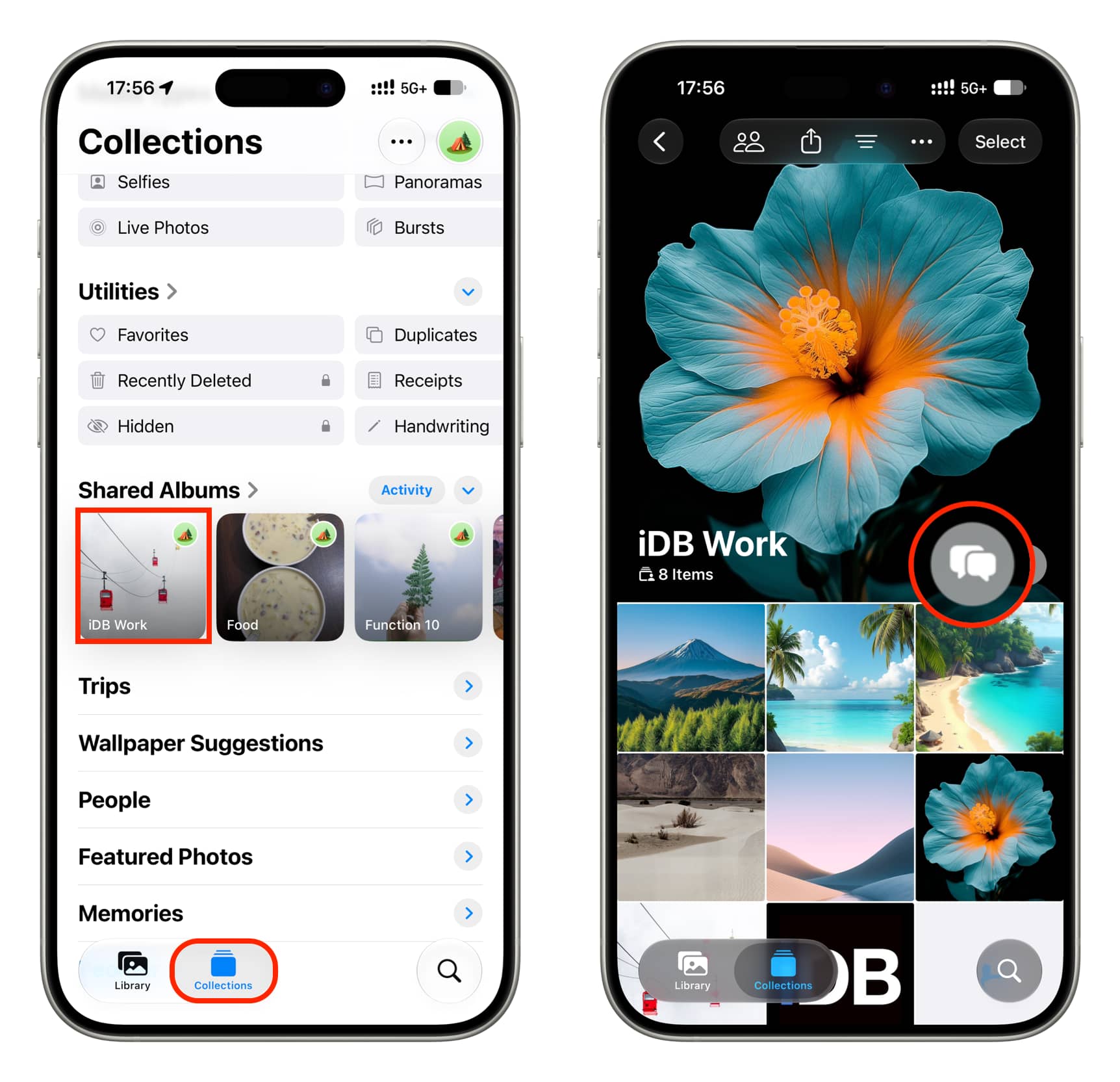
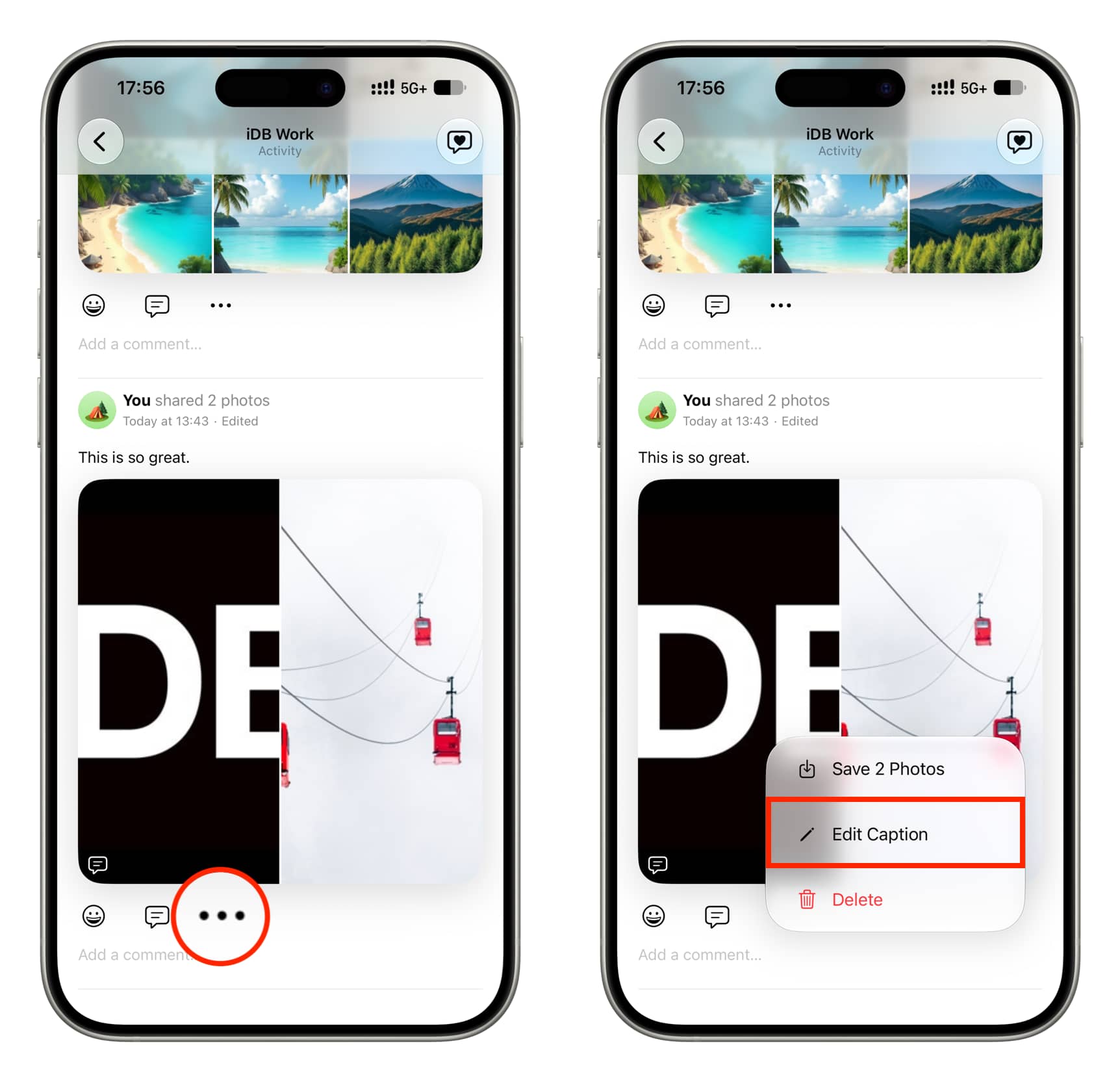
- iPhone or iPad: In Photos, open the shared album from the Collections tab and tap the activity icon. Tap the three-dot menu on the relevant entry, choose Edit Caption, make your changes and tap the checkmark. This requires iOS 27.2 or iPadOS 27.2 or later.
- Mac: In Photos on macOS 27.2 Golden Gate or later, open an album under Shared Albums and click Activity. Use the entry’s three-dot menu to select Edit Caption, then click Save.
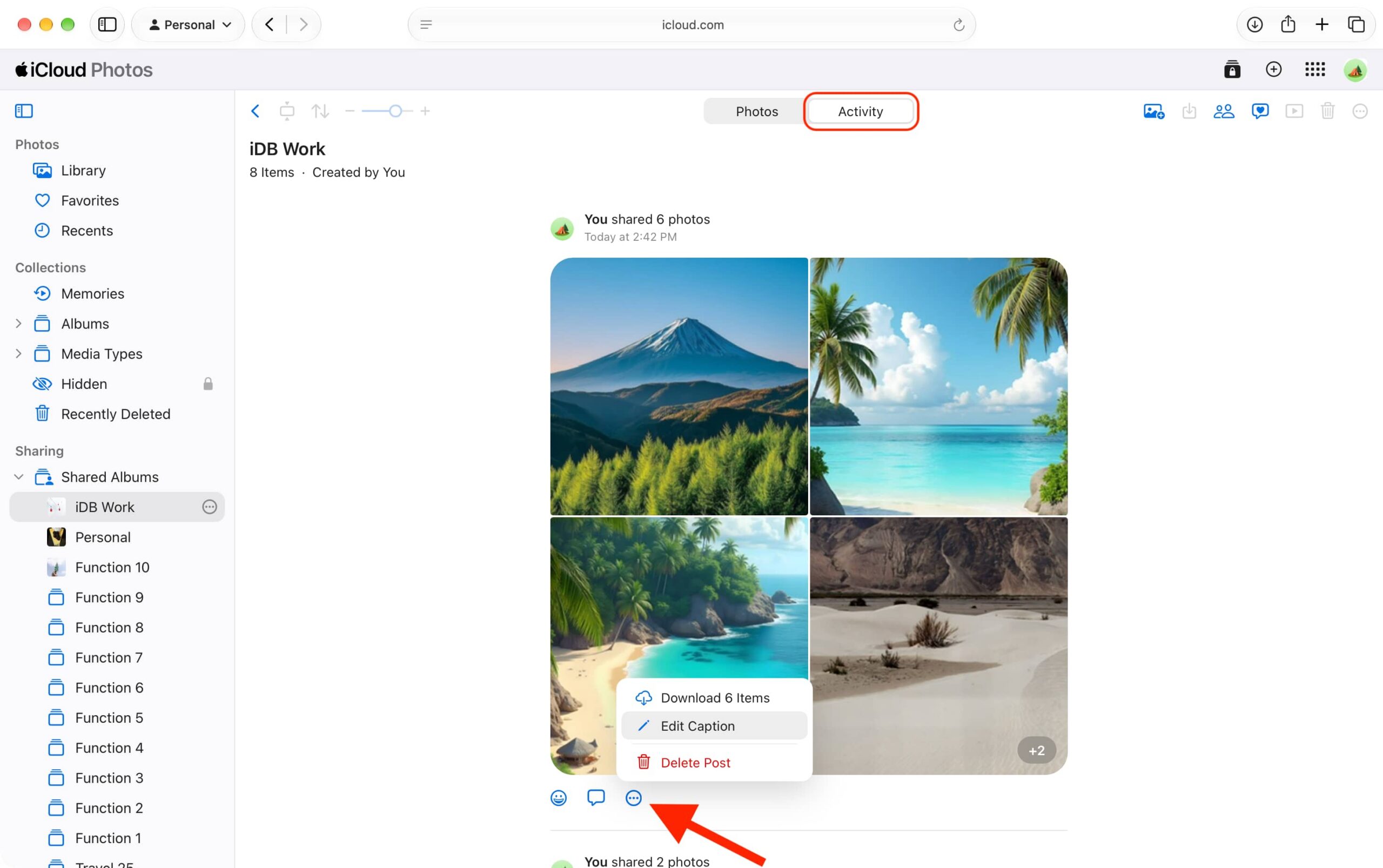
- iCloud Photos on the web: At iCloud.com/photos, open a Shared Album and select Activity. Use an entry’s three-dot menu to choose Edit Caption, then click Save.
An edited activity entry displays an “Edited” label, but tapping it does not reveal the previous caption.
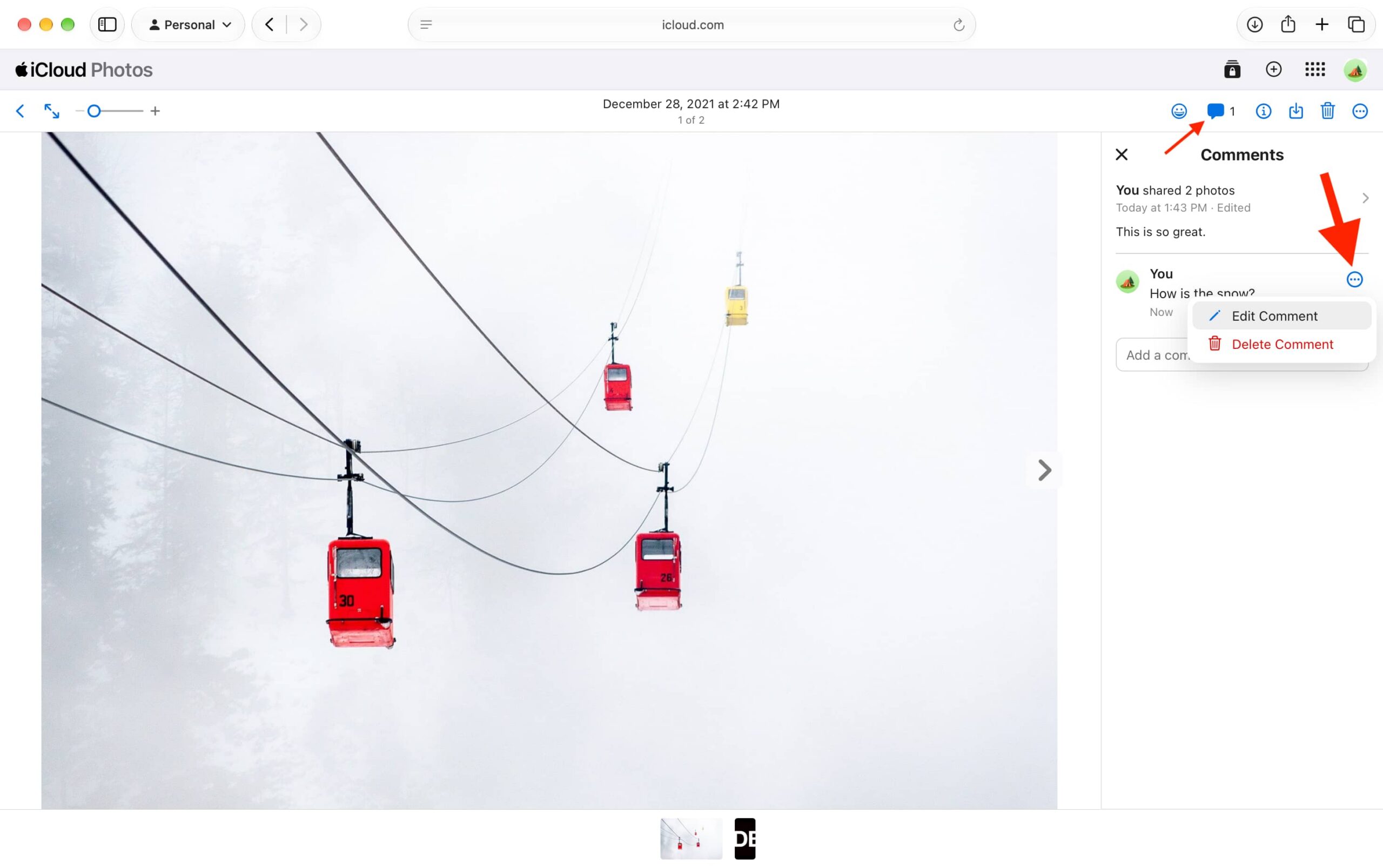
Edit a photo comment
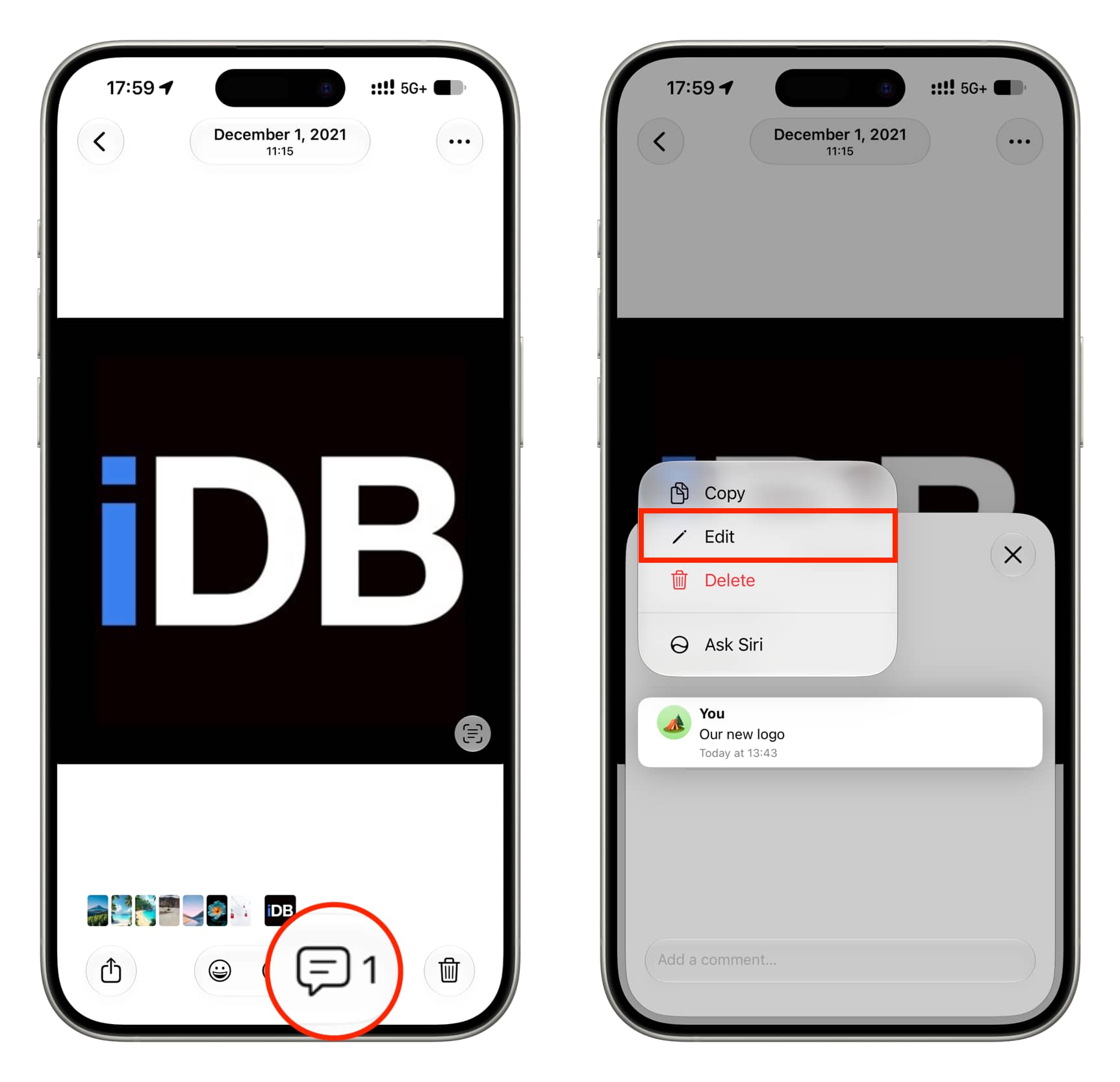
- iPhone or iPad: Open the photo in its shared album, tap the comment icon, then touch and hold your comment and choose Edit. Tap the checkmark to save. To remove a comment entirely, swipe left on it and tap the red trash icon; deleting all its text in the editor will not remove it.
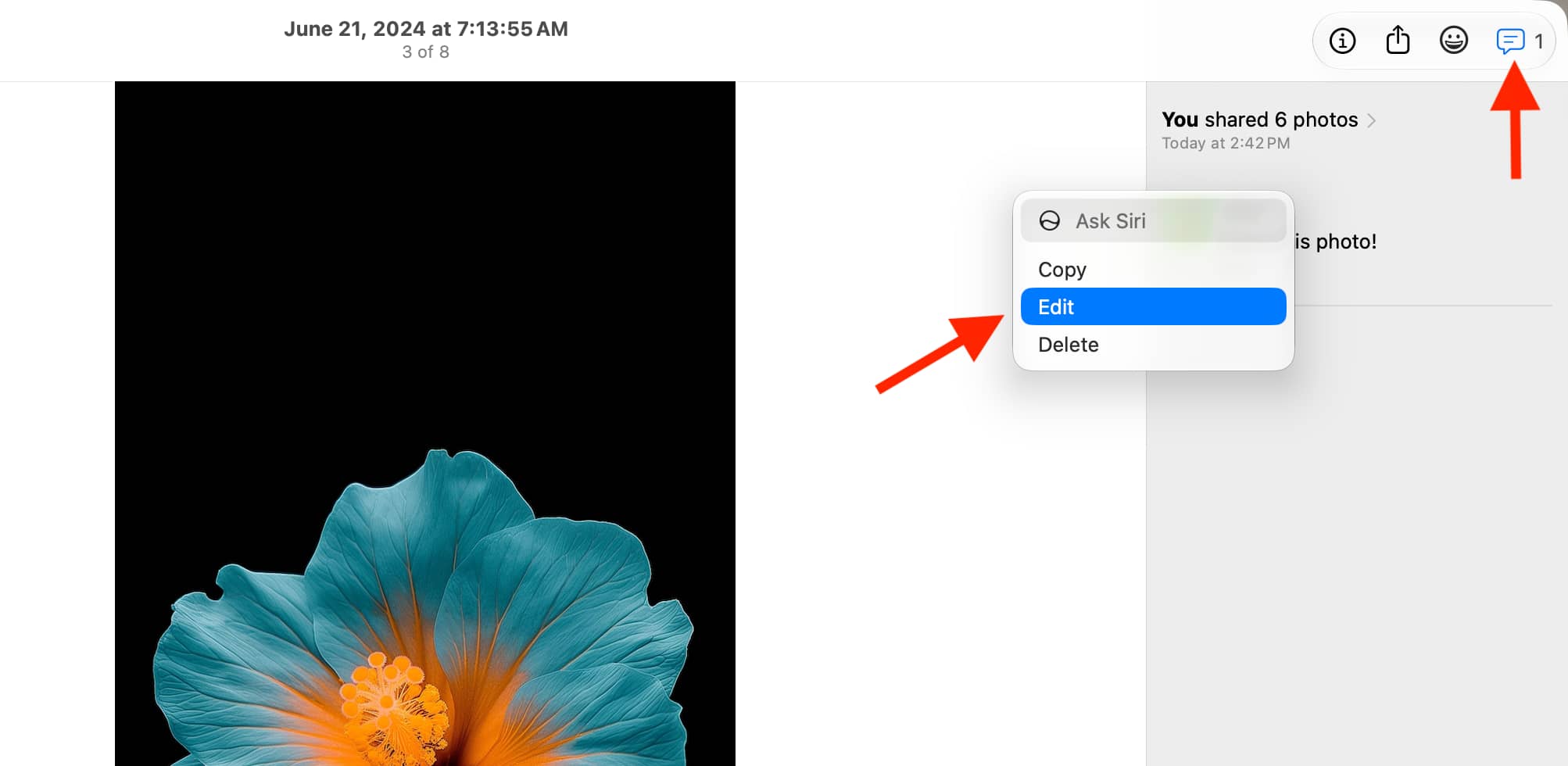
- Mac: Open the photo in Photos, click the comment icon, then Control-click your comment and choose Edit. Click Save when finished.
- iCloud Photos on the web: Open the photo, click the comment icon, then hover over your comment. Click its three-dot menu, choose Edit Comment and save your changes.
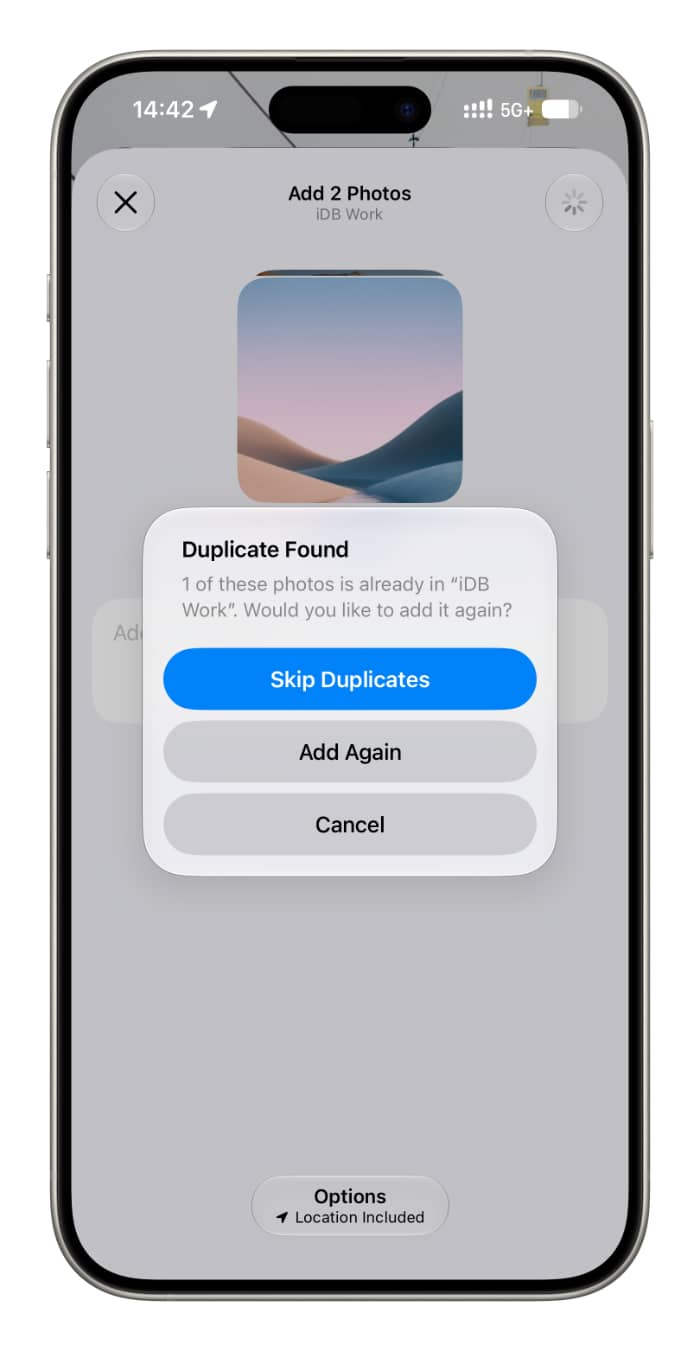
The report also notes that Apple’s 27.2 OS updates display a prompt intended to prevent duplicate photos from being added to a shared album.