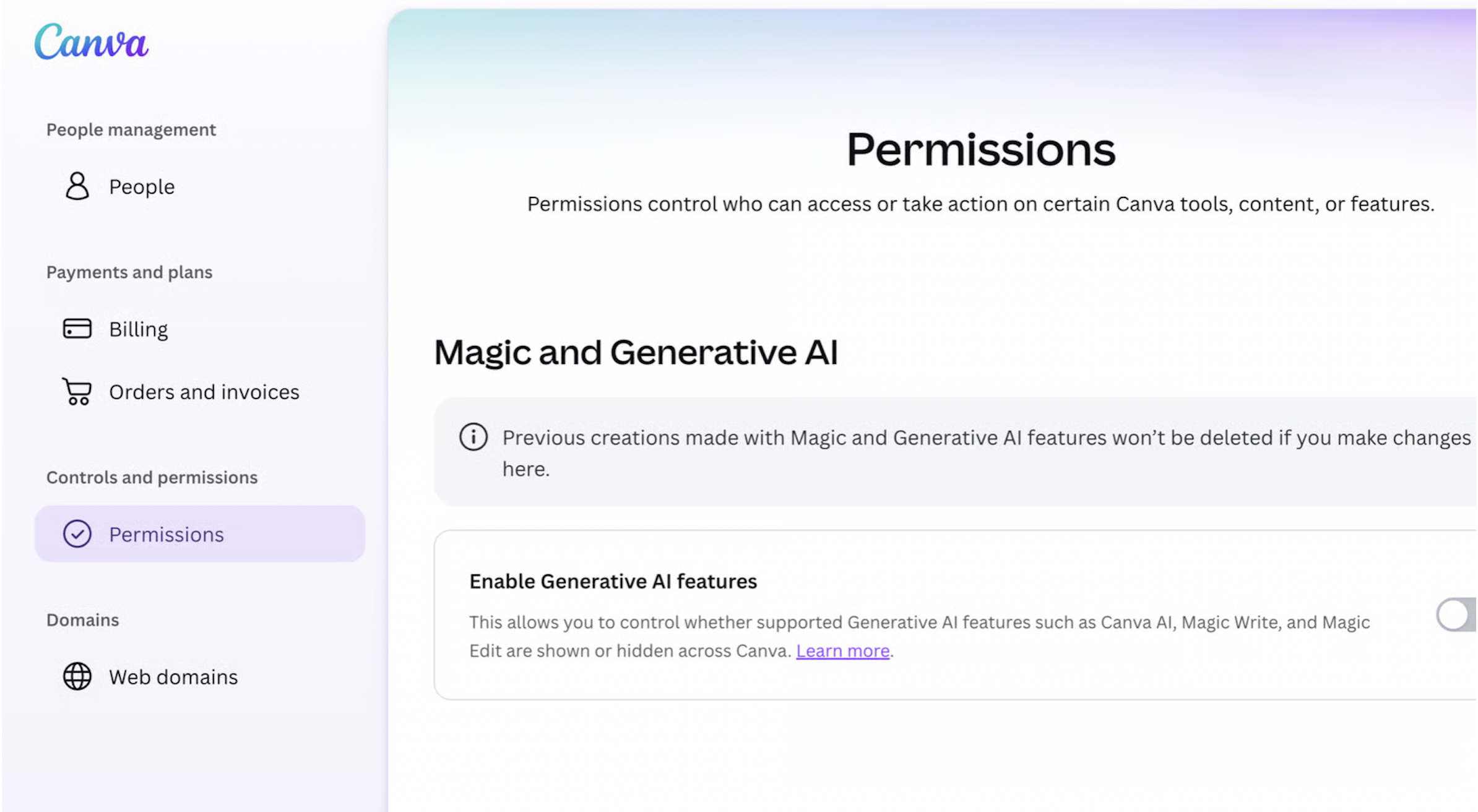
As reported on November 19, 2026, Canva added a setting that lets free and paid users turn off many of its generative AI tools. The switch disables features including Magic Expand, Magic Write, Magic Design, Magic Layers, Magic Edit, Dream Lab, Canva Code and AI Shapes, as well as image generation through Canva’s chatbot.
It does not turn off every AI-powered feature. Background Remover and Magic Grab, which lets users move an object within an image, remain available. Canva says these tools stay on because they speed up everyday tasks “without generating anything new.”
A separate setting lets users see less AI-generated content in Canva’s library. When enabled, it prioritizes human-created templates, graphics and other design elements in search results. Canva says a “small portion” of the library is AI-generated and that designs using those elements carry an AI label in their metadata.
To disable the generative AI tools, go to Profile > Settings > Permission and turn off Enable generative AI features. To prioritize human-created library content, go to Profile > Your account > AI personalization and turn on the option to show less AI content.