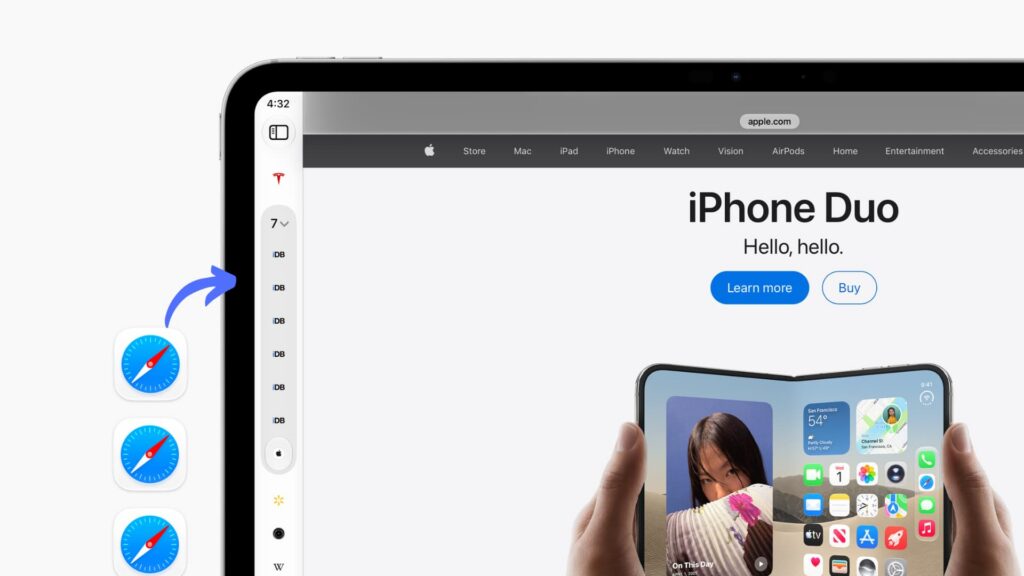
As reported on November 5, 2026, Safari’s vertical tab layout was available in beta versions of iPadOS 27.3 and macOS 27.3, with a public release expected in the following weeks. It moves open tabs from the top of the browser to a column on the left. The source also lists support for iPhone Duo running iOS 27.3 or later, but says the layout is not available on other iPhones, even in landscape orientation.
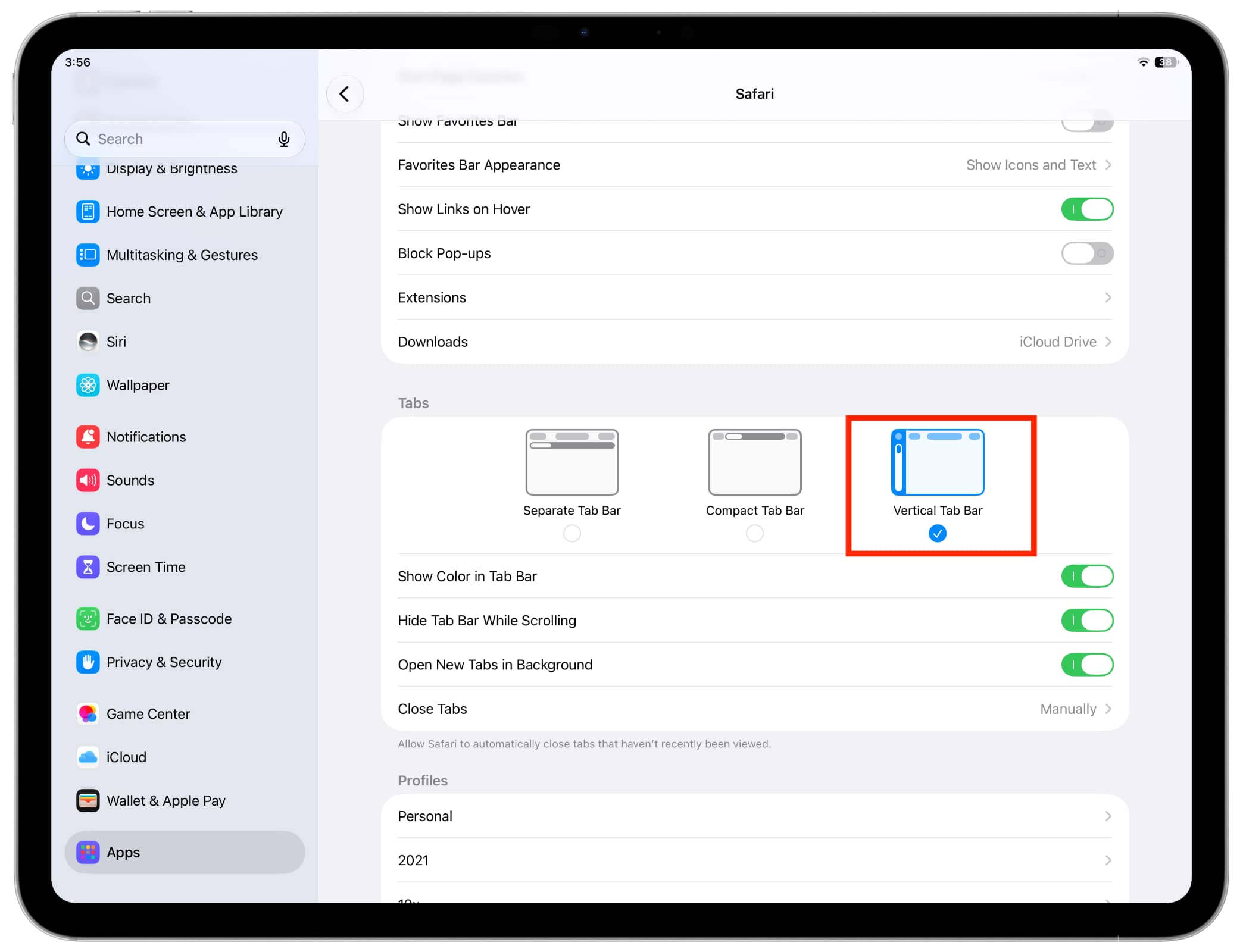

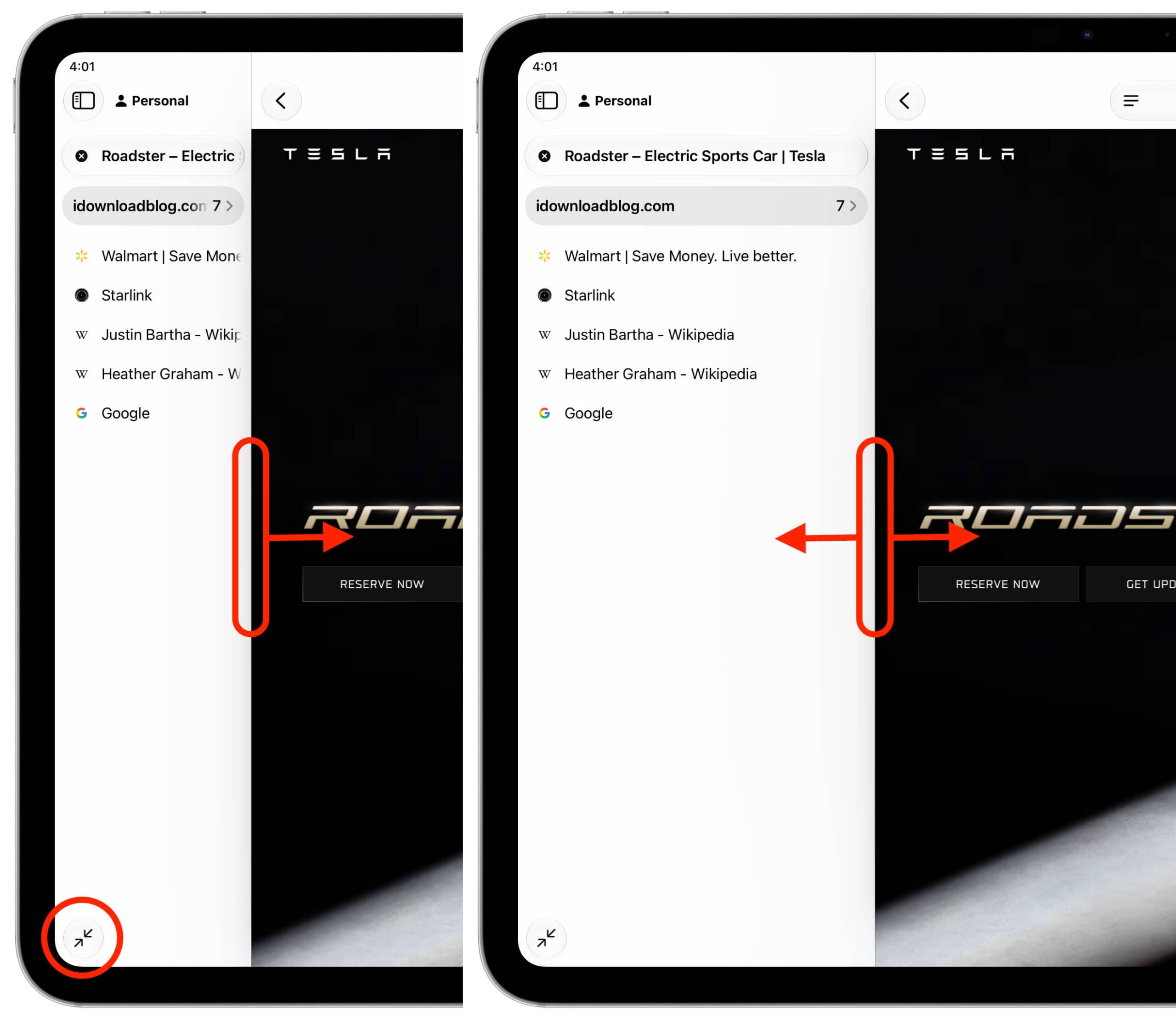
On iPad, update to iPadOS 27.3 or later, then go to Settings → Apps → Safari → Vertical Tab Bar. In Safari, the left sidebar shows open tabs and tab topics—groups created by Apple Intelligence. Touch and hold a tab icon for more actions. The dual-arrow button at the bottom expands the sidebar to show tab names and options such as Tab Groups, Private browsing and browser profiles. After expanding it, you can drag its edge to resize it.


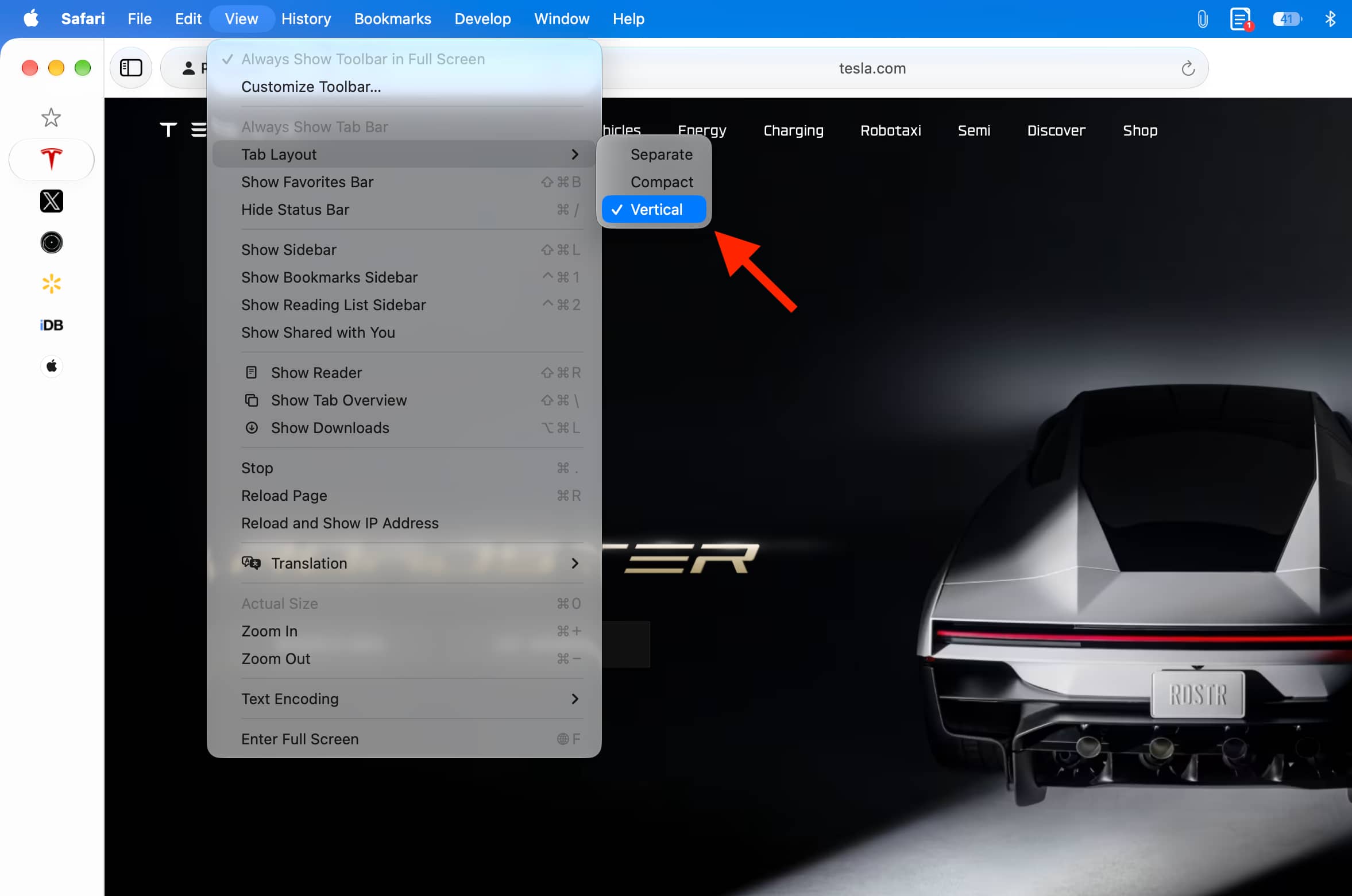
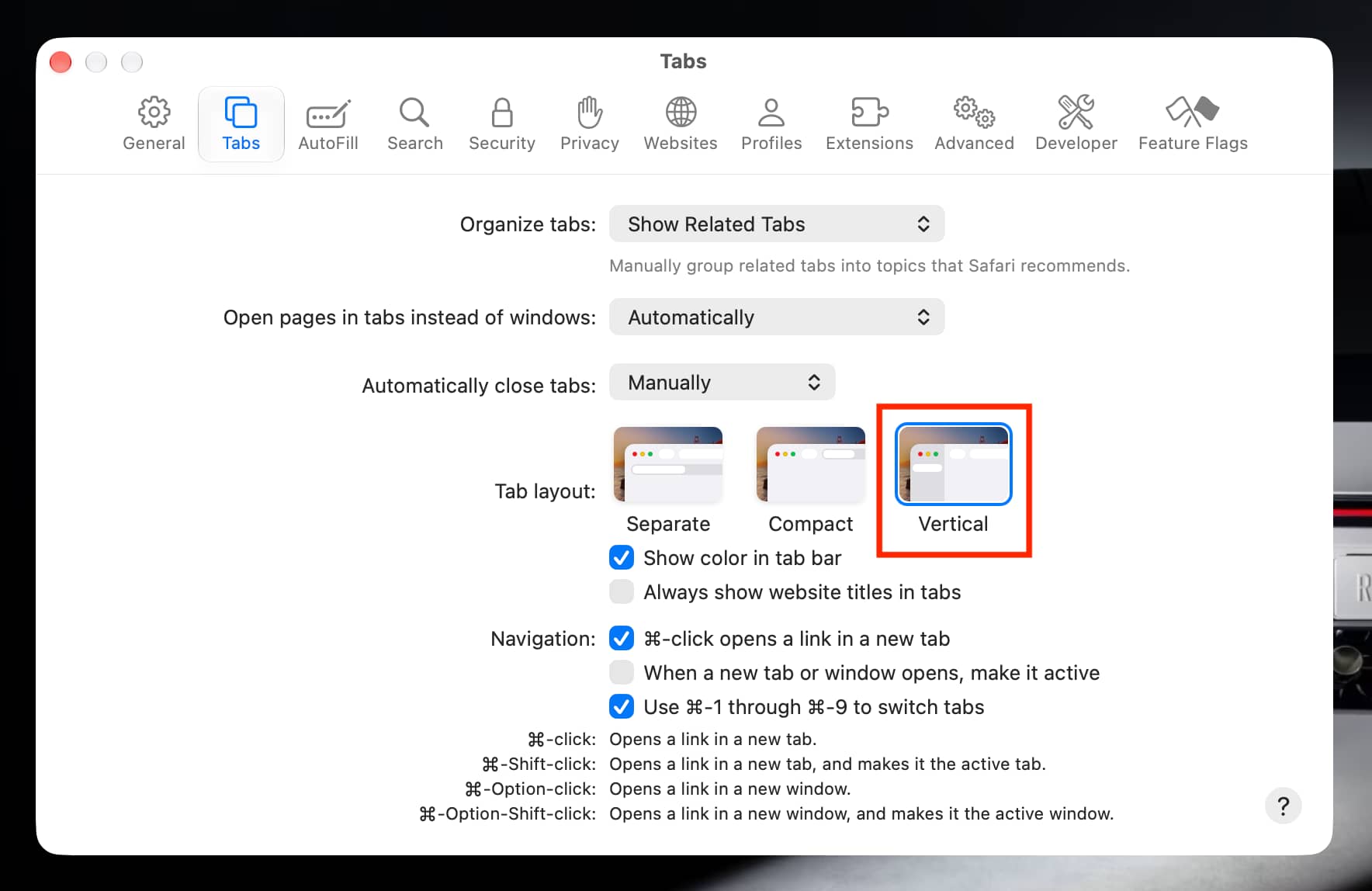
On Mac, update to macOS 27.3 or later. In Safari, choose View → Tab Layout → Vertical, or select Vertical Tab Layout under Safari → Settings → Tabs. You can right-click a tab icon for the usual tab actions.

The compact sidebar shows site icons rather than tab names. That saves space in the tab column, but reduces the width available for webpages and can make multiple tabs from the same site harder to distinguish.